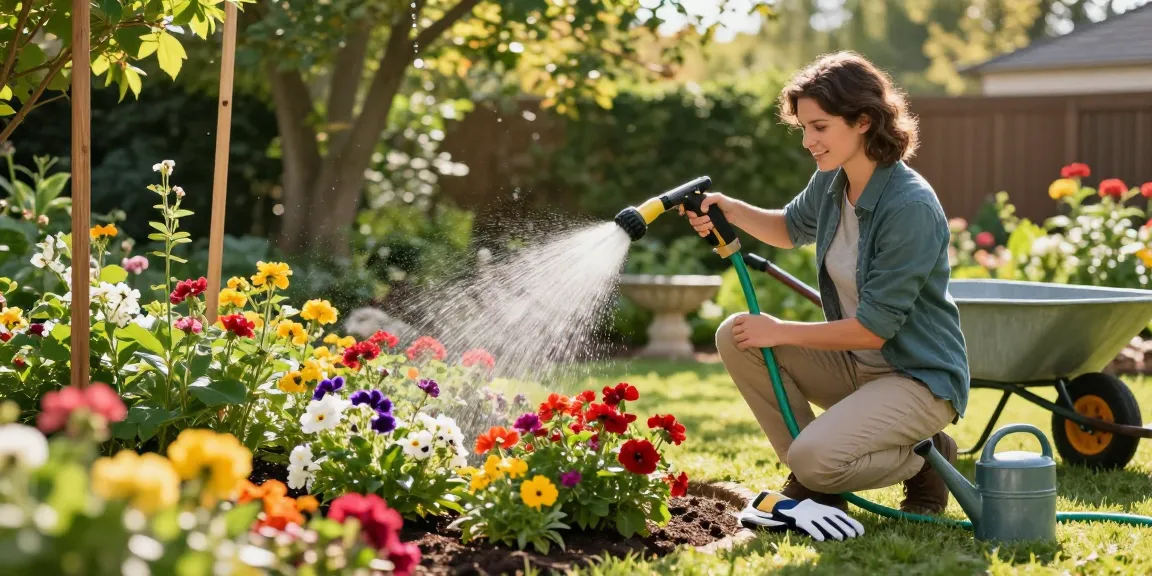
Last spring, Megan in suburban Denver noticed puddles on the west side of her lawn every morning and yellowing hostas in the shade bed. Her neighbor’s irrigation ran on a manual timer that had been left on too long after a weekend party. Megan’s problem was obvious: too much water in the wrong places. A few adjustments to timing and a smart controller stopped the runoff, revived the hostas, and cut her water waste.
Recognize the Signs: Is Your Yard Really Overwatered?
Before changing anything, confirm that overwatering is the issue. Overwatering shows up differently depending on the area of your yard:
- Lawns: constant sogginess, mushrooms, spongy turf, or a thin, yellowed lawn patch after rain.
- Flower beds and perennials: yellowing lower leaves, root rot, or slow growth despite regular watering.
- Vegetable gardens: stunted plants, swollen lower stems, or soil that never dries between waterings.
- Potted plants: saturated soil that stays wet for days and foul smells from the potting mix.
Concrete check: press a trowel about 3 inches into the soil. If it comes out with smooth, compacted clay or the soil feels slick and does not crumble, you likely have too much water. University extension services often advise checking soil moisture rather than relying solely on schedules; for example, Clemson Cooperative Extension recommends observing plant symptoms and soil condition to adjust watering routines.
Quick measurement
Use a screwdriver or soil probe to determine how wet the root zone is. If the soil is saturated 6–8 inches down in a bed or lawn, reduce watering duration or frequency. Small lawns often get overwatered because manual sprinklers run too long; large yards suffer when in-ground systems lack proper scheduling.
Match the Problem to the Right Setup: Solutions by Scenario
Problem → Solution is the easiest way to think about fixes. Below are common scenarios and the RainPoint-recommended setups that solve them.
- Small lawn with puddles: switch to a mobile sprinkler on a short timer and re-level low spots; use a simple WiFi timer for on/off control.
- Large irrigated lawn with uneven wetting: install a multi-zone smart in-ground system with slope-aware scheduling.
- Vegetable garden that stays soggy: replace overhead watering with a drip kit for root-zone delivery and separate drip zones by crop type.
- Flower beds showing rot: use soaker hoses or drip lines with lower flow and shorter cycles to keep foliage dry and roots moist.
- Potted plants constantly wet: adopt self-watering inserts or a slow-drip micro-irrigation system, and move pots to improve drainage.
For many homeowners, a WiFi timer such as a RainPoint model lets you quickly shift from a rigid schedule to condition-based watering that matches each scenario. A WiFi timer can run multiple short cycles for soaking without runoff, or suspend schedules when the soil is oversaturated.
Step-By-Step: Using a Smart Irrigation Timer to Fix Overwatering
Here’s a practical sequence to eliminate overwatering with a smart timer. These steps assume you have either an existing sprinkler/drip system or are ready to install one.
- Map your zones. Identify lawn, flower beds, vegetable garden, and pots. Each distinct soil type, sun exposure, or plant type should be its own zone.
- Measure run time needed. Use a simple catch-can test: place cans across a zone, run irrigation for 15 minutes, and measure depth. Convert to desired depth per session (a healthy lawn typically needs ~0.5–1 inch per session depending on climate).
- Program short cycles. Instead of one long run that causes saturation and runoff, program multiple short cycles spaced 30–60 minutes apart. This allows water to soak in between cycles.
- Enable sensor inputs. Connect a soil moisture sensor or enable local weather/evapotranspiration (ET) data in the smart timer so it skips watering after rain or when the soil is still wet.
- Set seasonal adjustments. Lower run times in cool seasons and increase slightly during heatwaves; the controller should let you change percent adjustments quickly.
Example: a shady flower bed with clay soil may take only two 4-minute cycles spaced 45 minutes apart, while a sandy vegetable bed might need one 12-minute cycle. If your controller supports it, attach a soil sensor to each critical zone to avoid guesswork.
To take the guesswork further and fix overwatering issues with a smart irrigation timer, pair your timer with affordable soil sensors that stop irrigation when the root zone is moist. That combination is especially effective in mixed yards where sun, shade, and soil differ from zone to zone.
Practical Settings, Examples, and a Simple Watering Table
Below are realistic watering prescriptions you can copy and tweak for your yard. These examples assume typical U.S. conditions; check local extension advice for your state.
ZoneSoil TypeSession LayoutFrequencyFront lawn (small)Clay3 cycles × 6 min each (30–45 min apart)2× per weekBack lawn (large)Loam2 cycles × 12 min each (45–60 min apart)2–3× per weekVeg bedsSandy loam1 cycle × 15 min (drip)Every other day in heat; 2–3× per week otherwiseFlower bedsClay loam2 cycles × 4 min each (30–45 min apart)1–2× per weekPotted plantsPotting mixSlow-drip 10–20 min per pot with valvesDaily in heat; as needed otherwise
Real figure to keep in mind: according to the EPA, smart irrigation controllers can save up to 8% to 15% of household water use for irrigation when properly programmed; some systems report even higher savings when paired with sensors (EPA WaterSense). That’s hundreds or thousands of gallons less water wasted, depending on lawn size.
Troubleshooting tips
If runoff still occurs, reduce cycle duration by 20–30% and add another cycle later. If plants look thirsty between scheduled runs, increase frequency by one session per week instead of lengthening any single session.
Maintenance, Monitoring, and When to Upgrade Hardware
Smart timers are not a set-and-forget fix. Regular checks make sure your system keeps overwatering at bay.
- Monthly: Inspect emitters, sprinkler heads, and soaker hoses for clogging or leaks.
- Seasonally: Update schedule for seasonal ET rates or growing cycles—seedlings need more frequent watering than established sod.
- After heavy rain: Confirm soil sensors (if installed) are functioning and recalibrate if needed.
If your system still overwaters after careful programming, the issue might be hardware—oversized emitter spacing, broken heads, or poor zone design. That’s when an upgrade to a more capable smart controller or redesign of zones pays off. For many homeowners the right balance is a WiFi timer from RainPoint paired with a targeted drip kit for beds and a separate sprinkler zone for turf; this way each area gets the treatment it needs.
Example maintenance action: a homeowner replaced three clogged rotors and tightened a leaking valve and saw immediate improvement—runoff disappeared and water use dropped 20% in one month.